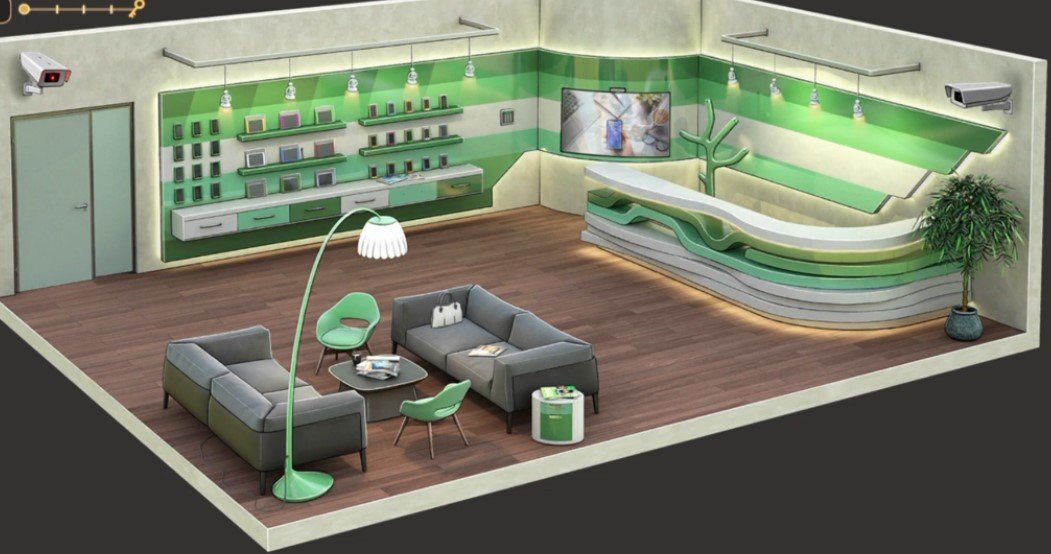
Here you will get solutions and step by step guide for Rooms & Exits Chapter 2 Level 1. In this puzzle developed by Webelinx Games. Every clue tells a story, and every puzzle brings you closer to the truth. Join Fiona, a brave journalist with a sharp eye for hidden secrets, as she investigates mysterious cases filled with unexpected surprises. This level belongs to the No Honor Among Thieves category and is the Cell Phone Store level.
Search for clues, solve challenging puzzles, and uncover the secrets hidden in every location. Each level offers a fresh mystery that will test your observation skills and logical thinking. Whether you enjoy detective stories, escape room challenges, or brain-teasing adventures, this game delivers an exciting experience from start to finish.

Rooms & Exits Cell Phone Store – Chapter 2 Level 1 Solution
The following guide explains how to solve Rooms and Exits Cell Phone Store step by step.
If you get stuck at any point, leave a comment below. Our team will be happy to help you find the solution.
Phase 1: Collect the Tools & Open the Display
Collect the First Items
- Step 1: Tap the customer service counter in the center of the store.
- Step 2: Collect the Box Cutter near the cash register.
- Step 3: Go to the promotional posters on the left wall.
- Step 4: Use the Box Cutter to cut open the corner of the poster.
- Step 5: Collect the hidden Memory Card (MicroSD).
Open the Smartwatch Display
- Step 6: Go to the storage shelves at the back of the store.
- Step 7: Use the Box Cutter to open the cardboard shipping box.
- Step 8: Collect the Glass Suction Cup.
- Step 9: Tap the smartwatch display case.
- Step 10: Use the Glass Suction Cup to remove the glass cover.
- Step 11: Collect the Smartwatch.
- Step 12: Remember the watch band color order: Blue → Red → Yellow → Green.
Phase 2: Power Up the Devices
Unlock the Tablet Display
- Step 1: Go to the locked tablet display.
- Step 2: Arrange the color switches using the smartwatch clue.
- Step 3: Set the colors in this order:
- Blue → Red → Yellow → Green
- Step 4: Open the display and collect the Tablet.
Find the Safe Code
- Step 5: Open your inventory.
- Step 6: Insert the Memory Card into the Tablet.
- Step 7: Turn on the tablet.
- Step 8: Complete the tablet puzzle.
- Step 9: Note the safe code 4927.
Phase 3: Open the Safe & Escape
Unlock the Safe
- Step 1: Go to the employee back office.
- Step 2: Tap the hidden wall safe.
- Step 3: Enter the code 4927.
- Step 4: Open the safe and collect the Small Silver Key.
Escape the Store
- Step 5: Go to the back exit door.
- Step 6: Use the Small Silver Key to unlock the door.
- Step 7: Open the door and escape to complete Level 1.
Video Walkthrough
Congratulations on completing Chapter 2 – Level 1! Click here to unlock Chapter 2 – Level 2.